Work your way, leave the admin to Coventure

Run invoices, payments, bookings and clients from one account.

How it works

1
Create an account
Sign up and enter your business details.
2
Issue your first invoice
Add a client and items, then send the invoice by email.
3
Get paid
The client pays by code or card and the invoice marks itself as paid.

What you get

Invoices with QR codes

Your client pays by scanning the code in a banking app, and you see when the invoice is settled.

Payments in one place

Card, PayPal or bank transfer - partial and full payments are recorded on the invoice.

Booking appointments

Clients pick a slot themselves, and you accept, move or complete it.

Shared inbox

Client messages and private chats in one place, and a colleague can pick them up too.

Website on your own domain

Present your services and take orders on your own site (from the Explorer plan).

Newsletter for clients

Collect subscribers and send them campaigns through your own SMTP.

Inside the app

See inside the app

This is what working in Coventure looks like.
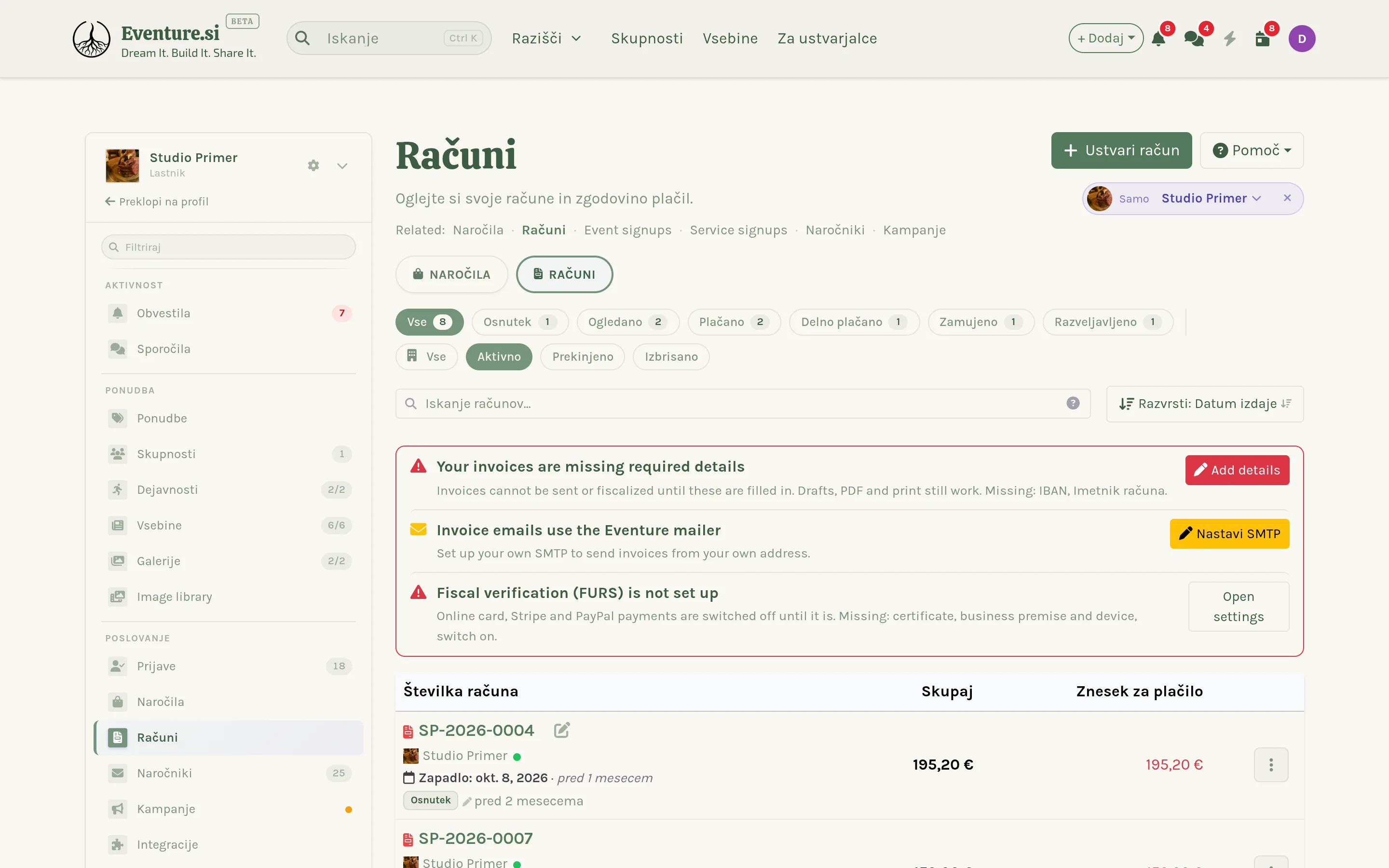
All invoices in one place

All invoices in one place

Status, due date and sending.
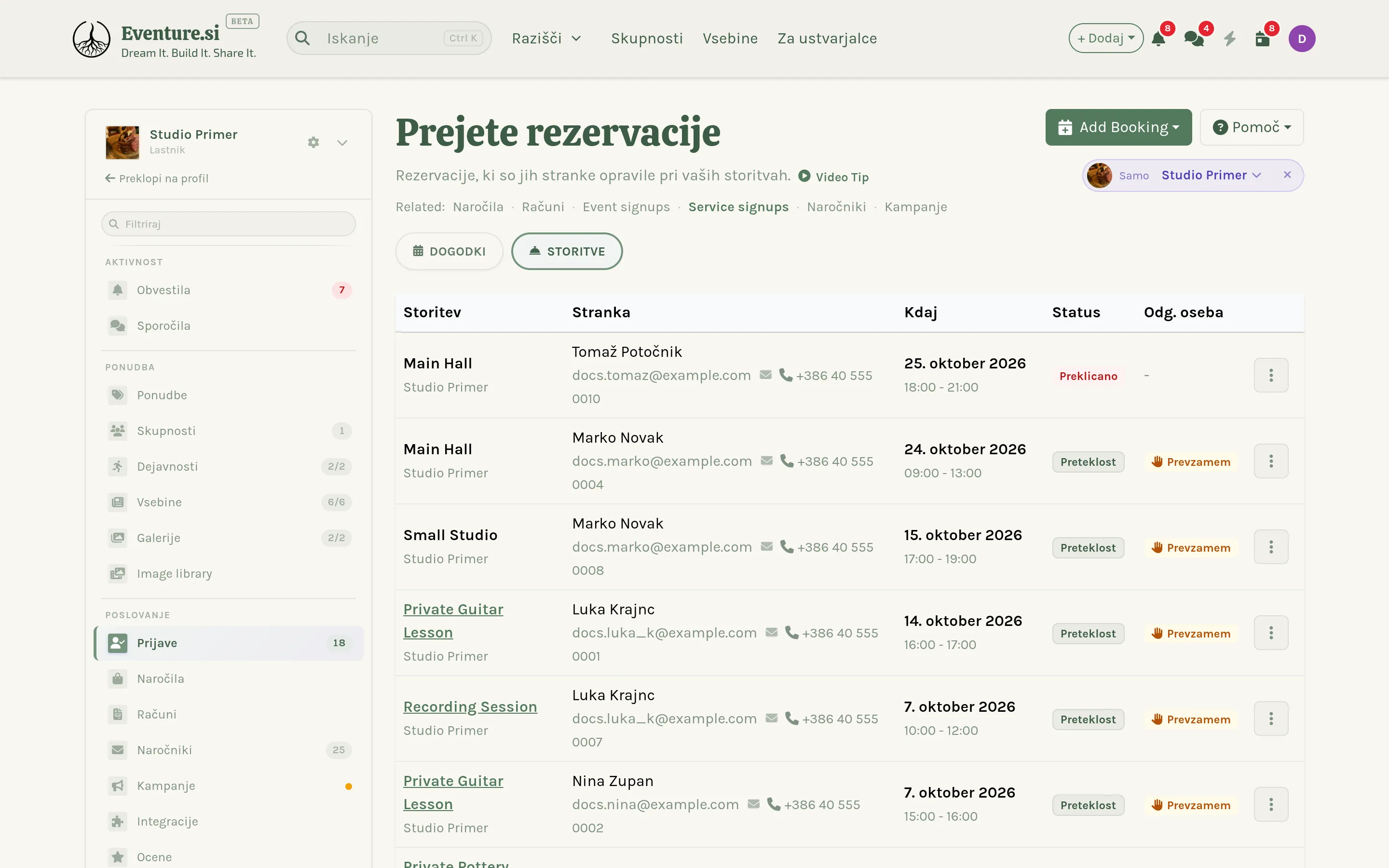
Incoming bookings

Incoming bookings

Accept or manage a booking.
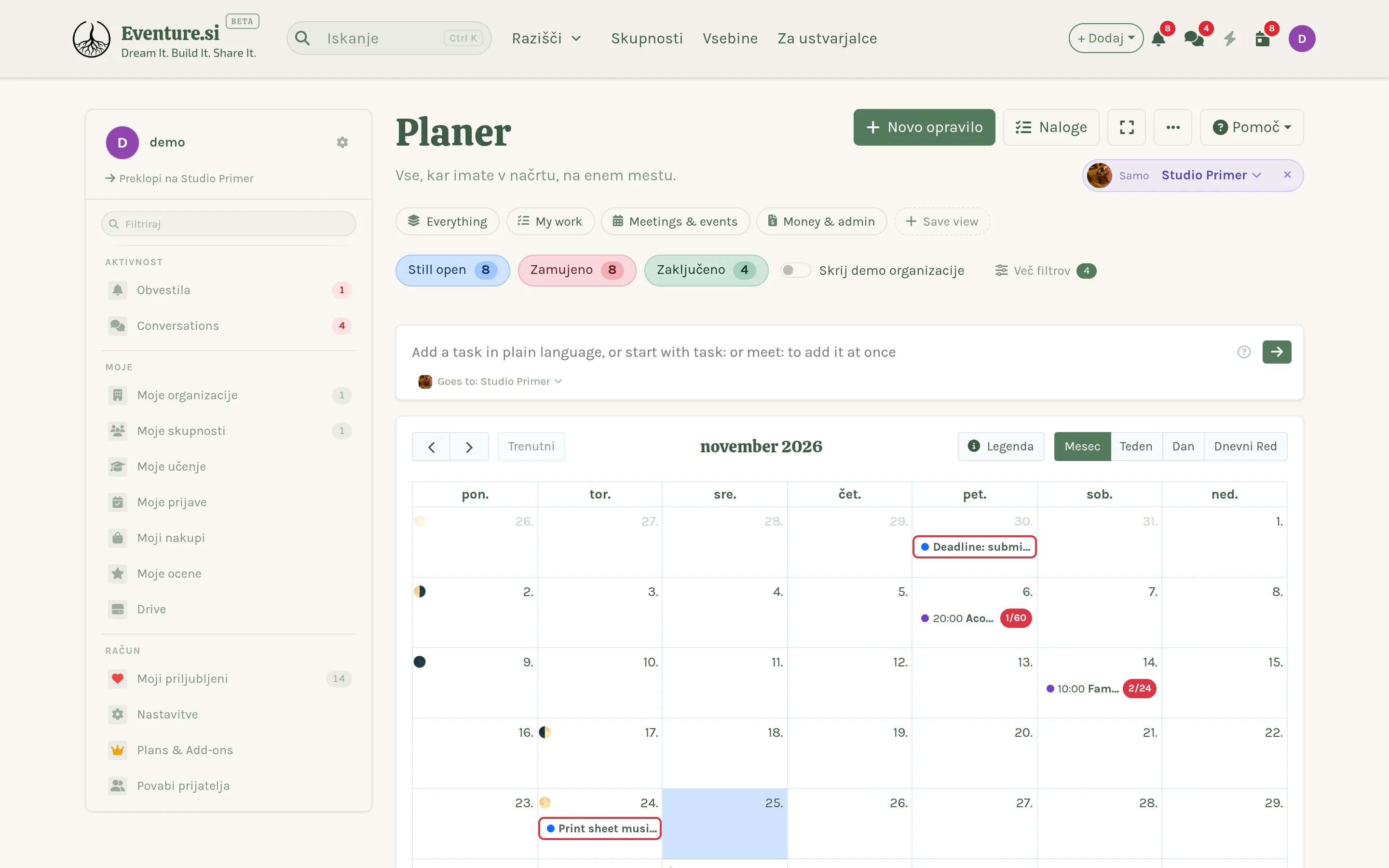
Calendar

Calendar

Appointments and tasks together.

Frequently asked questions

No. Coventure also suits sole traders and individuals who work alone.

You start free with the Wanderer plan, and paid plans start at EUR 11 per month (Explorer).

Yes. Slovenian sellers set up FURS in the Tax and fiscal tab, and the Croatian connection is in preparation.

Yes, by card and PayPal if you have connected an account, or by transfer using the QR code.

Issue your first invoice

Create an account and start today.